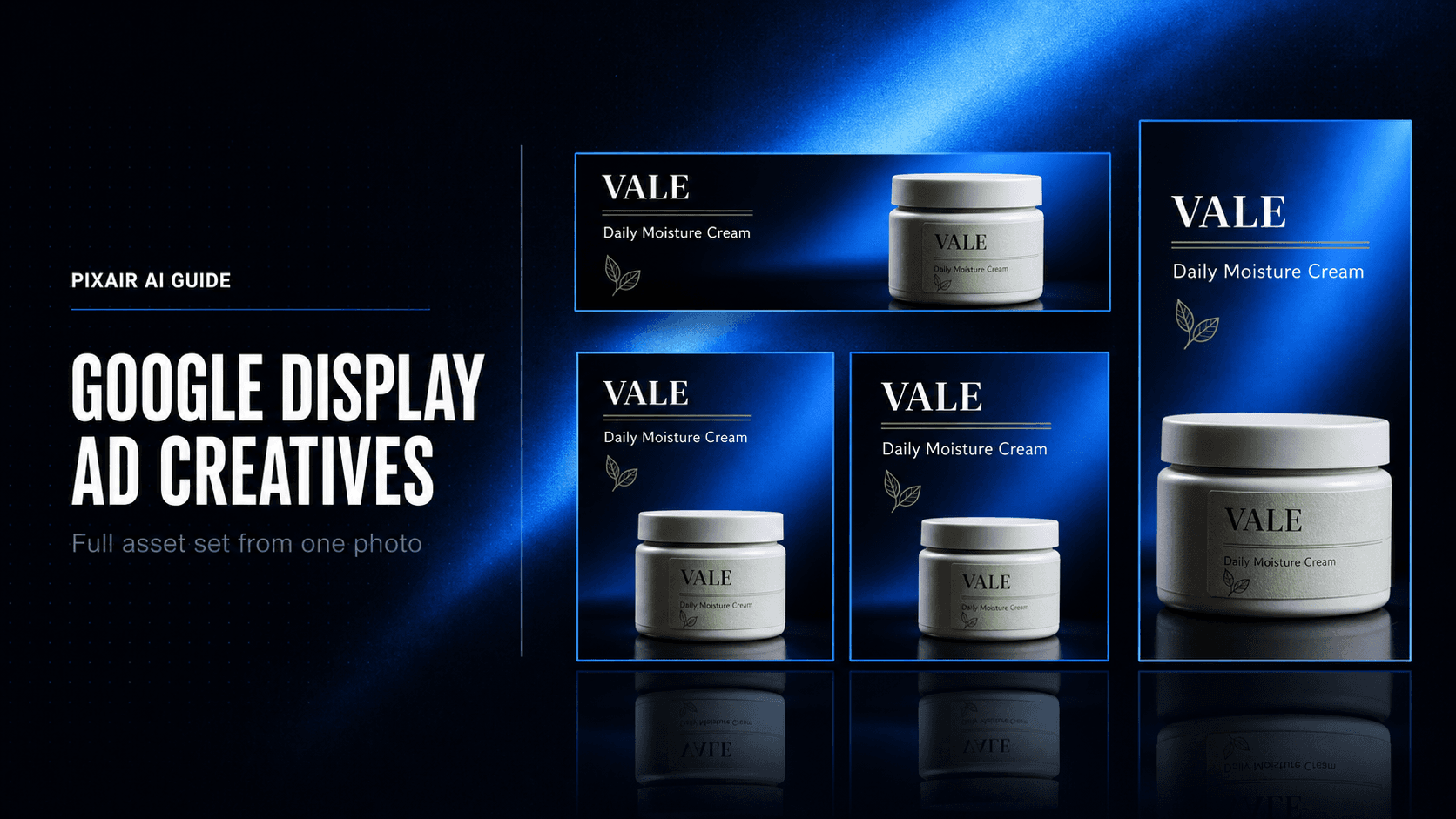
Google Display ad creatives are the image assets that run across the Google Display Network - banners on websites, apps, and Gmail - and inside Performance Max campaigns. The fastest way to produce them is to start from a single product photo, generate scene variations in every required aspect ratio, and export your full image asset package without a designer. With Pixair AI, a complete Google Display creative set - landscape, square, portrait, and standard banner compositions - takes under 2 hours from one product photo, at a fraction of what an agency charges for the same deliverable.
What Are Google Display Ad Creatives?
The Google Display Network reaches over 90% of global internet users across 2 million websites, apps, and Google-owned properties including Gmail and YouTube. Display ad creatives are the image assets that appear in those placements - from the 300x250 medium rectangle embedded mid-article to the 728x90 leaderboard above the fold.
There are two formats to understand. Responsive Display Ads (RDAs) accept raw image and text assets - up to 15 images, 5 logos, 5 headlines, and 5 descriptions - and Google assembles them automatically into whatever layout fits the placement. Standard Display ads are fixed-size banner files you upload as finished JPG or PNG images, sized to match specific placements. Performance Max campaigns use the responsive format almost exclusively; dedicated Display campaigns support both.
The distinction matters for production because responsive assets need clean, text-free images (Google adds copy dynamically from your text assets) while standard display banners need the full composition - product, headline, and CTA - designed inside the image itself.
Why Does Producing Google Display Creatives Take So Long?
Unlike Facebook or Instagram, where 3-4 aspect ratios cover every placement, Google Display requires assets in 10+ fixed sizes for full coverage. The 8 highest-volume standard banner placements alone need separate files at: 300x250, 728x90, 160x600, 336x280, 320x50, 300x600, 970x90, and 468x60. Each is a separate design pass in any traditional workflow.
Performance Max asset packages have 5 separate format requirements
A single PMax asset group needs: a landscape image at 1.91:1 (minimum 600x314, recommended 1200x628), a square image at 1:1 (minimum 300x300, recommended 1200x1200), an optional portrait at 4:5 (960x1200), a logo at 1:1, and up to 5 text headlines plus 5 descriptions. Google uses these assets in combinations across Search, Display, Gmail, Discover, and YouTube - so every image needs to work standalone without layout context from the others.
Each banner format needs its own source file
A leaderboard (728x90) at 8:1 aspect ratio and a half-page (300x600) at 1:2 aspect ratio cannot be derived from the same image without cropping out the product or headline. Designers manually redraw the layout for each size - or use a master file with artboards, which is faster but still requires a 60-90 minute setup pass per campaign before any creative variation can be produced.
Production cost suppresses creative refresh
GDN frequency caps are looser than Meta, so banner ads fatigue more slowly - but most DTC brands running display still refresh creative only once per quarter because the 10-size production run costs $800-$2,500 each time. That creative debt compounds over the year as campaigns normalize to existing assets and stop earning attention in competitive placements.
How Do You Generate Google Display Ad Creatives From One Product Photo?
The goal is to build your PMax image asset package and your standard banner set from a single upload session - not separate photoshoots or design passes. Here is the four-step workflow.
Upload one clean product photo
A front-facing product photo on a plain background is enough. Pixair AI removes the background and isolates your product - packaging text, label, and logo remain pixel-accurate because the product is not regenerated. Only the scene behind and around it is generated.
Generate your PMax image asset set
Generate 4-6 scene variations of your product. From each scene, export the three PMax image ratios: 1.91:1 landscape (1200x628), 1:1 square (1200x1200), and 4:5 portrait (960x1200). These must be clean, text-free product images - exactly what Google's responsive ad system expects, since it overlays your headline and description text dynamically from the text assets you provide separately in the asset group.
Build composed banners for dedicated Display campaigns
For dedicated Display campaigns, run your best scene through Pixair's Ad Maker to add headline composition. The AI reads your product label directly - brand name, product name, key claim - and writes the headline copy from your packaging. You get a finished ad creative with typography, not a bare scene. Export at the aspect ratios that map to your priority standard display sizes: 4:3 for 300x250 and 336x280, 16:9 for 728x90 and 970x90, 1:2 for 300x600.
Upload assets and write your text package
Upload the PMax images to your asset group in Google Ads. Write 5 headlines (30 chars each) and 5 descriptions (90 chars each) using the product language from your label as the source - the same language the Ad Maker extracted to compose your banner headlines. This keeps visual and copy consistent across every placement Google assembles your assets into, from Gmail banners to YouTube companion ads.
Google Display Creative Production: Traditional vs. Pixair AI
A full Google Display creative set - PMax image package plus top 5 standard banner sizes - in each workflow. The time gap drives campaign performance more than the cost gap.
Design agency or in-house designer
Brief + per-size Photoshop + revisions

Pixair AI
Design agency or in-house designer
Brief + per-size Photoshop + revisions
Pixair AI
Cost for full banner set
$800 - $2,500
Under $10 in credits
Turnaround time
3 - 5 business days
Under 2 hours
Sizes covered per session
Per brief, manually
All ratios from one upload
PMax image asset package
Separate photoshoot
Included in same workflow
Brand consistency across formats
Depends on designer
Same scene, every format
Iteration per test round
New brief + design pass
Regenerate in 60 seconds

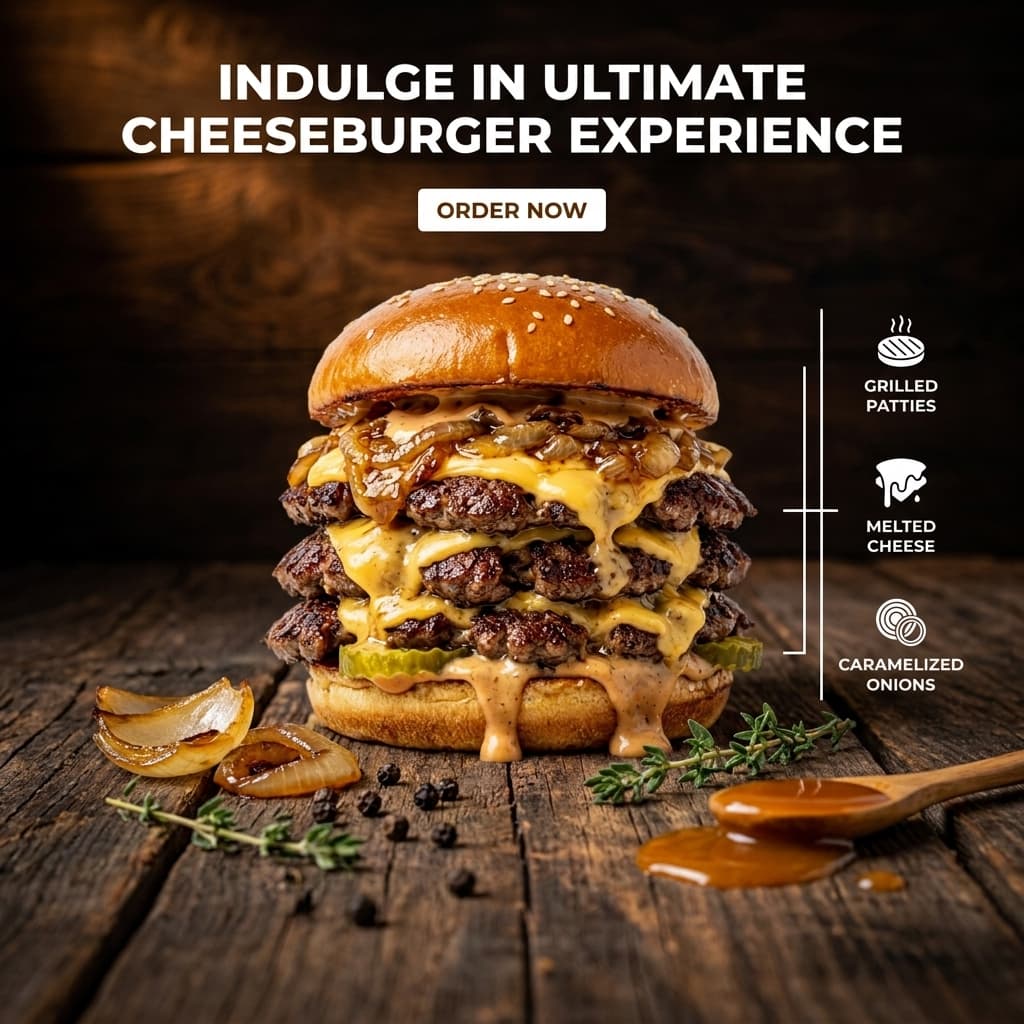
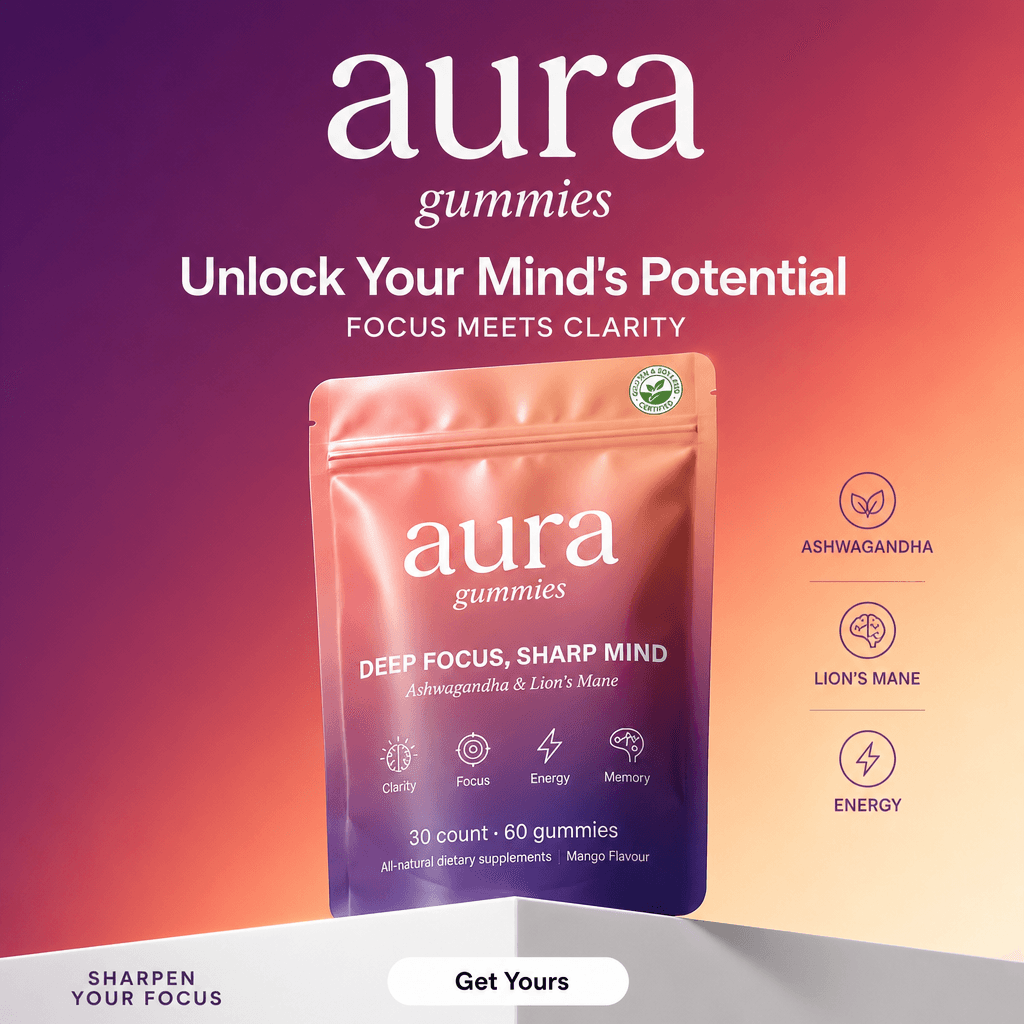
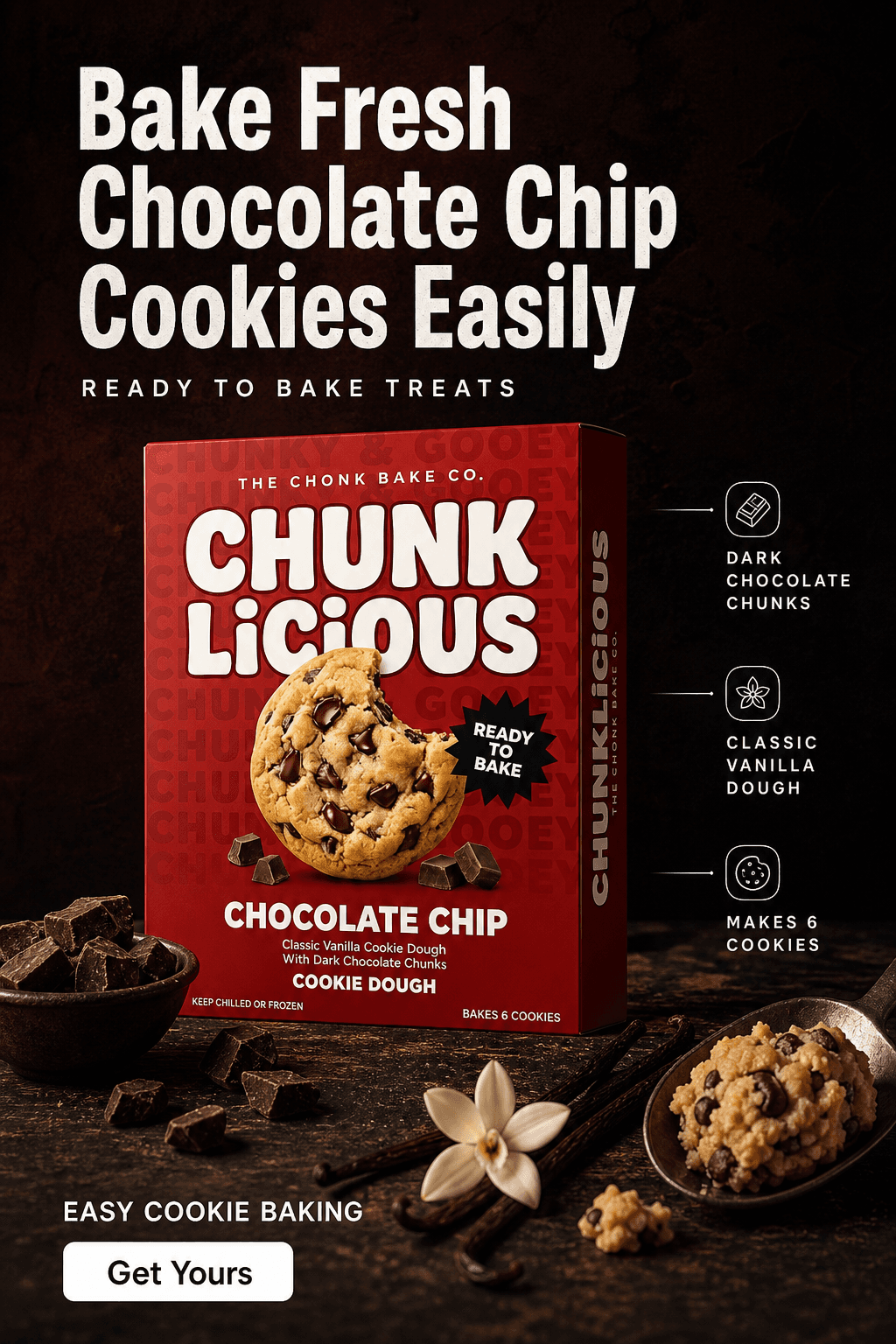
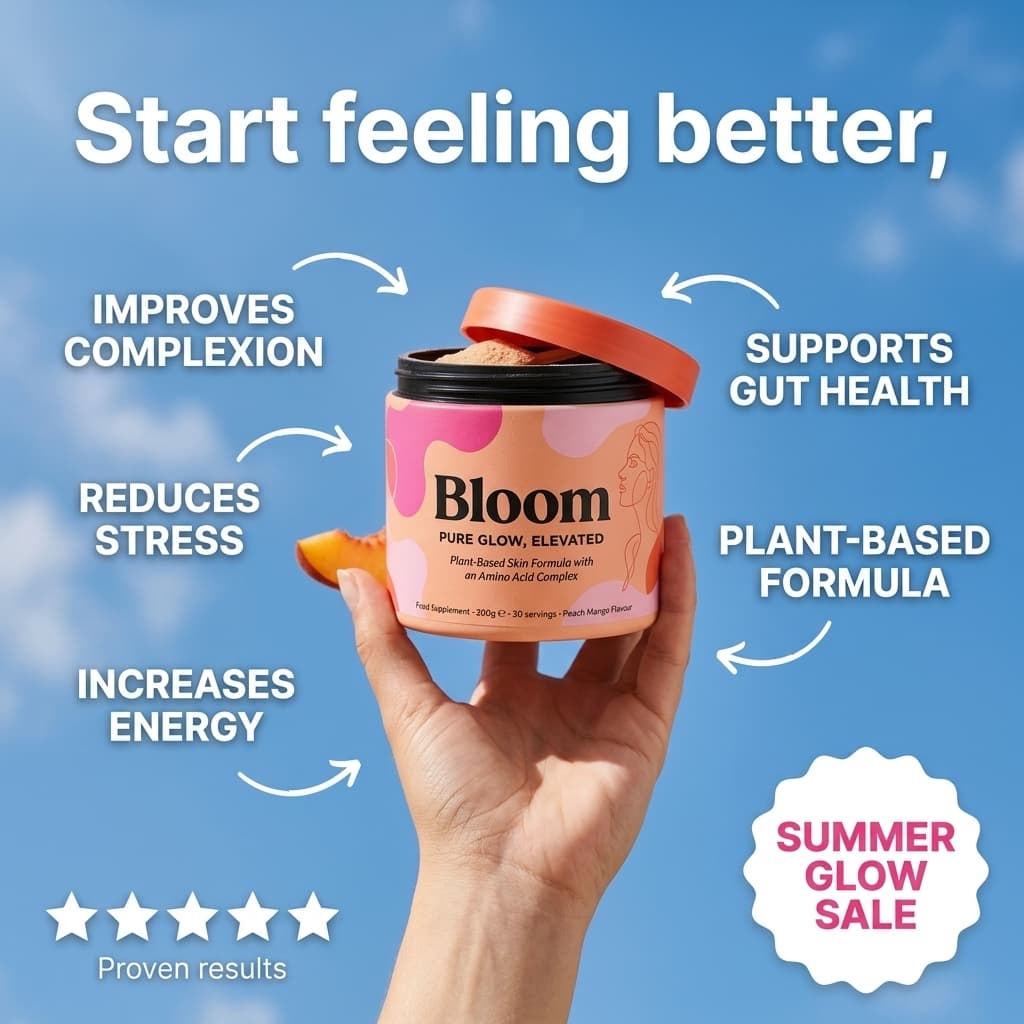
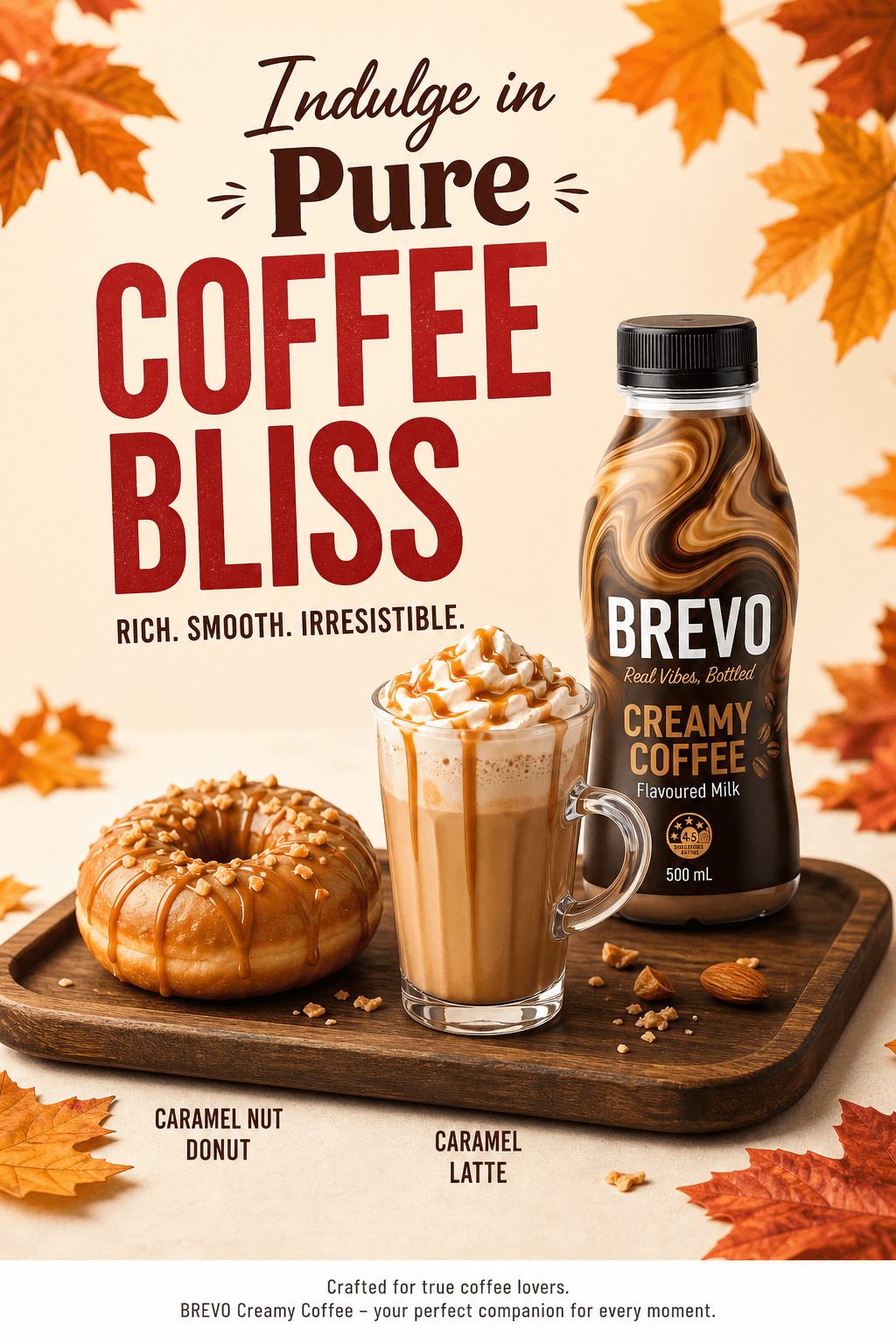
Six ad creative variations from one product photo. The same source generates the clean PMax image assets and the composed banner layouts for dedicated Display campaigns.
What Makes a Google Display Ad Creative Perform?
Google Display has its own performance logic, distinct from Meta. These five points are specific to the GDN environment and are frequently missed by advertisers porting their Meta creative library directly into a Display campaign.
- No overlaid text on PMax images. Google's responsive ad system scores images with baked-in text lower in asset strength ratings because they conflict with the dynamic text Google adds from your headline and description assets. Supply clean product scenes for PMax. Reserve headline compositions for dedicated standard Display campaigns where no dynamic assembly happens.
- Treat the 300x250 as your anchor standard banner. The medium rectangle is the single highest-impression placement in the GDN. If you produce one fixed-size banner, make it the 300x250. The 728x90 leaderboard and 336x280 large rectangle are the next two to cover for full above-the-fold presence.
- Match scene style to the content environment. GDN placements reach users based on browsing context and intent signals, not interest graphs. Someone reading a wellness article when your supplement ad appears is in content-consumption mode, not social-scroll mode. Calmer, editorial-style product scenes perform better on Display than the high-contrast hook images that work on Facebook static ads.
- Refresh on a 30-45 day cycle, not 7-14 days. GDN frequency caps are looser than Meta - most users see a given display banner less than twice per week. A 30-45 day refresh interval is appropriate for most DTC display budgets, which means one production run covers a full month instead of the weekly creative cycles that Instagram ad creatives demand.
- Use background color to signal brand identity on small placements. On compact formats like the 320x50 mobile banner, the product fills most of the creative and headline space is minimal. A consistent background color tone across your banner set trains users to recognize your brand in peripheral vision before they read anything. Generate your Display scenes with a shared palette and the recognition effect compounds across the 30-45 day run.
Ready to build your Google Display asset package? Start free with Pixair AI - 30 credits to generate your first creative set with no card required.







Frequently Asked Questions
The 8 highest-volume standard display placements are 300x250 (medium rectangle), 728x90 (leaderboard), 160x600 (wide skyscraper), 336x280 (large rectangle), 320x50 (mobile banner), 300x600 (half page), 970x90 (large leaderboard), and 468x60 (banner). Performance Max campaigns use responsive assets in three ratios: 1.91:1 landscape (recommended 1200x628), 1:1 square (recommended 1200x1200), and optional 4:5 portrait at 960x1200.
For Performance Max campaigns, no. Google's responsive ad assembly system adds your headline and description text dynamically, so images with baked-in text conflict with that process and score lower in asset strength ratings. Supply clean product images without text overlays for PMax. For standard display banner campaigns with no dynamic assembly, a full composition with headline and CTA baked into the image is correct.
At minimum: 1 landscape image (1.91:1), 1 square image (1:1), 1 logo, 3 headlines, and 2 descriptions. Google recommends uploading as many assets as the limits allow - up to 15 images, 5 logos, 5 headlines, and 5 descriptions - because more asset combinations let the responsive system test more layout variations across placements and improve your asset strength score.
Yes. Google permits AI-generated ad images as long as they accurately represent the advertised product and comply with standard ad policies. Pixair AI preserves the original product packaging exactly - it generates only the scene around the product, not the product itself. The resulting images pass Google's image quality requirements and asset review process.
For most DTC accounts, a 30-45 day refresh cycle is appropriate for GDN and Performance Max. Frequency caps on the Display Network are looser than Meta - the average user sees a specific banner less often than a Facebook feed ad. Monitor CTR decline and rising CPM as primary refresh signals: when CTR drops more than 25% from its launch-week peak, queue the next creative batch.
Keep reading
Related articles
Instagram Story Ads Generator: Make 9:16 Ads From 1 Photo
Instagram Story ads maker and generator in one: only 69% of a 1080x1920 frame is safe, so generate native 9:16 Story ads from one product photo for $0.18 each.

AI Apparel Ad Creatives: On-Model Ads From a Flat Lay
Turn one flat garment photo into on-model ad creatives in under 60 seconds, no model or booking. The guide to AI apparel ad creatives for DTC fashion brands.

AI Furniture Ad Creatives From One Product Photo
Turn a single furniture photo into a full editorial ad campaign in under 5 minutes. A guide to AI furniture ad creatives for DTC home brands - no studio, no model.