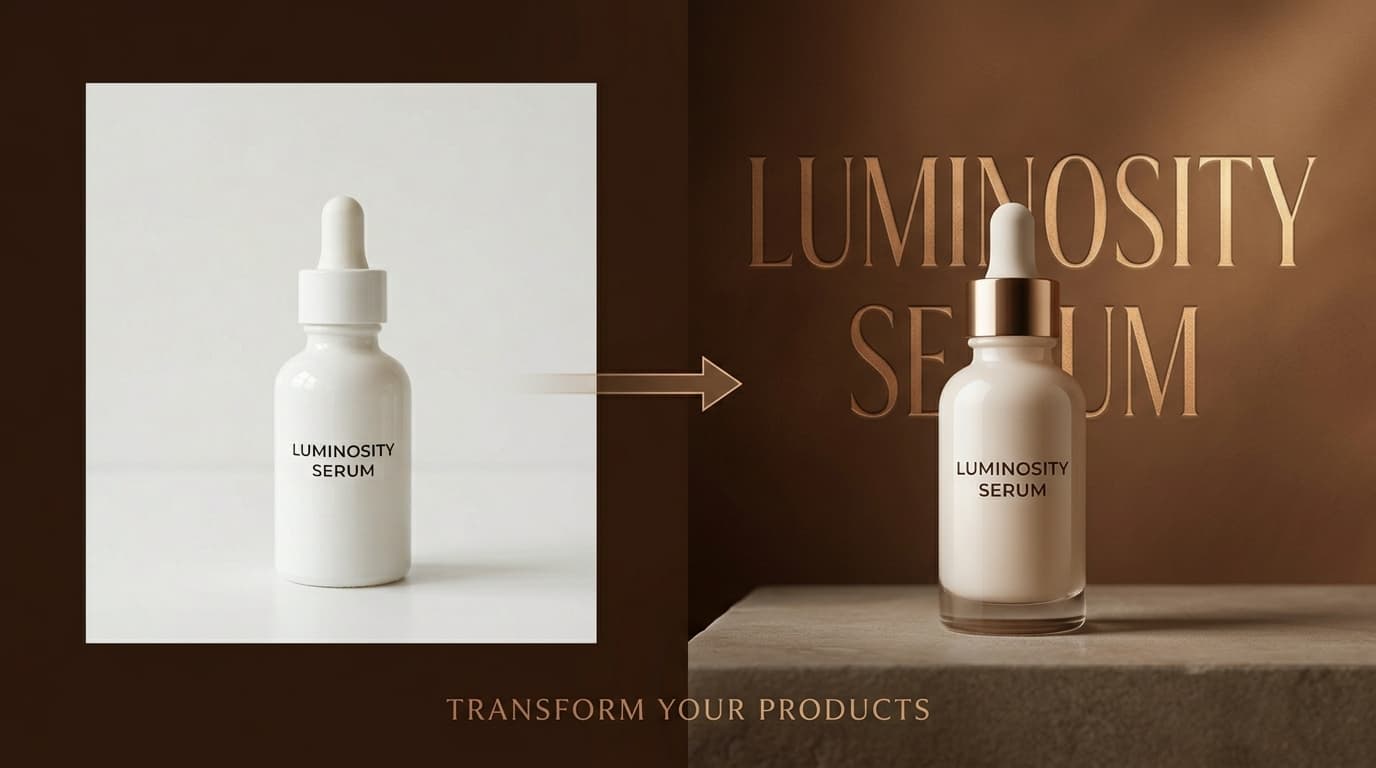
The AI Ad Maker in Pixair AI turns a single product photo into a finished advertisement in under 30 seconds. Upload your product, choose a Light or Dark ad style, and the AI reads your label to extract brand name, product name, and ingredient copy - then generates a marketing-ready composition with 3D typography, ingredient callouts, and the correct aspect ratio for any platform. No Photoshop, no designer, no template customization required.
What Is the AI Ad Maker?
Ad Maker is a new mode inside Pixair Studio that sits alongside AI Backgrounds and AI Expand. While AI Backgrounds places your product in realistic scenes (beaches, studios, marble surfaces), Ad Maker generates marketing-ready advertisement compositions with bold typography, ingredient displays, and brand-focused layouts.
The key difference: AI Backgrounds creates product photography. Ad Maker creates product advertisements. The output is ready to post directly to social media, use in a paid ad campaign, or drop into a product listing.
Two Ad Styles for Every Product
Ad Maker ships with two carefully engineered presets. Each one is optimized for a different advertising context, and both automatically extract real text from your product label.
Light Ad - Ingredient-Focused Creative
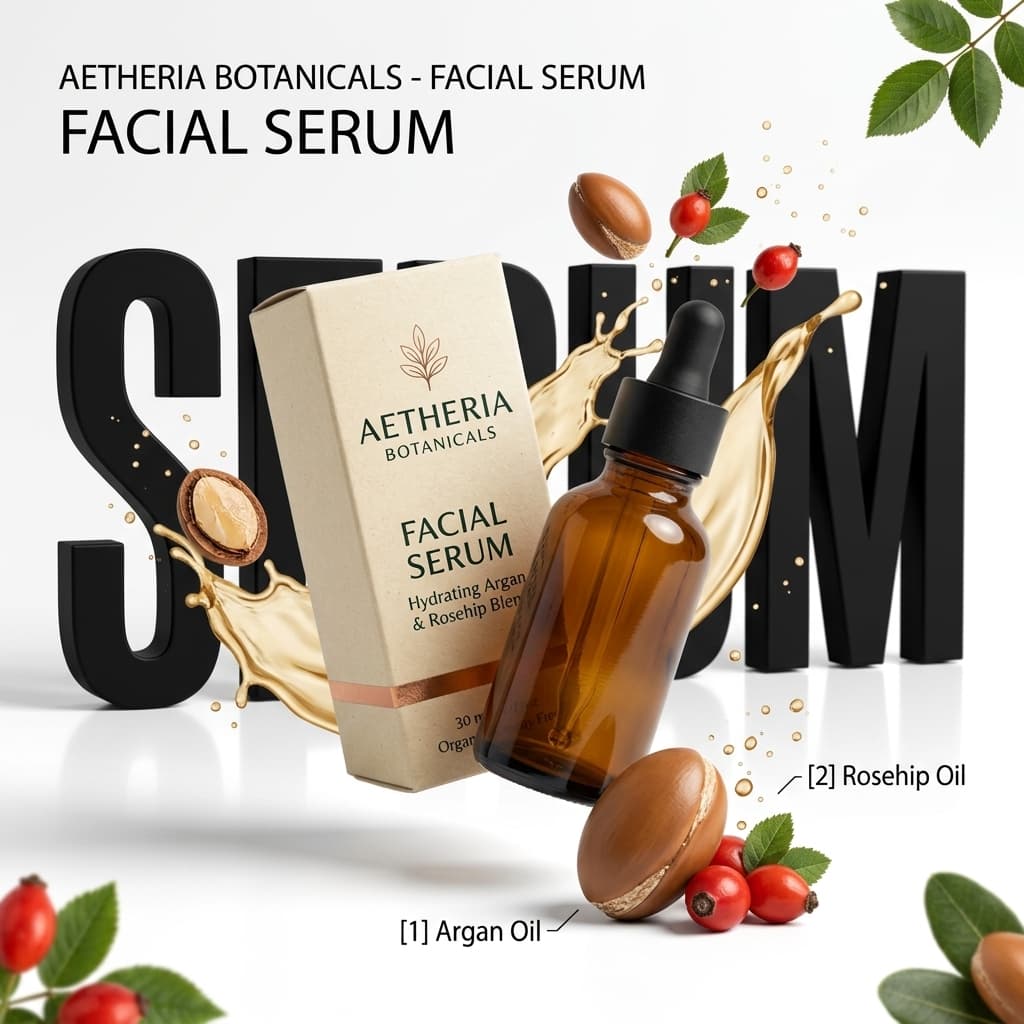
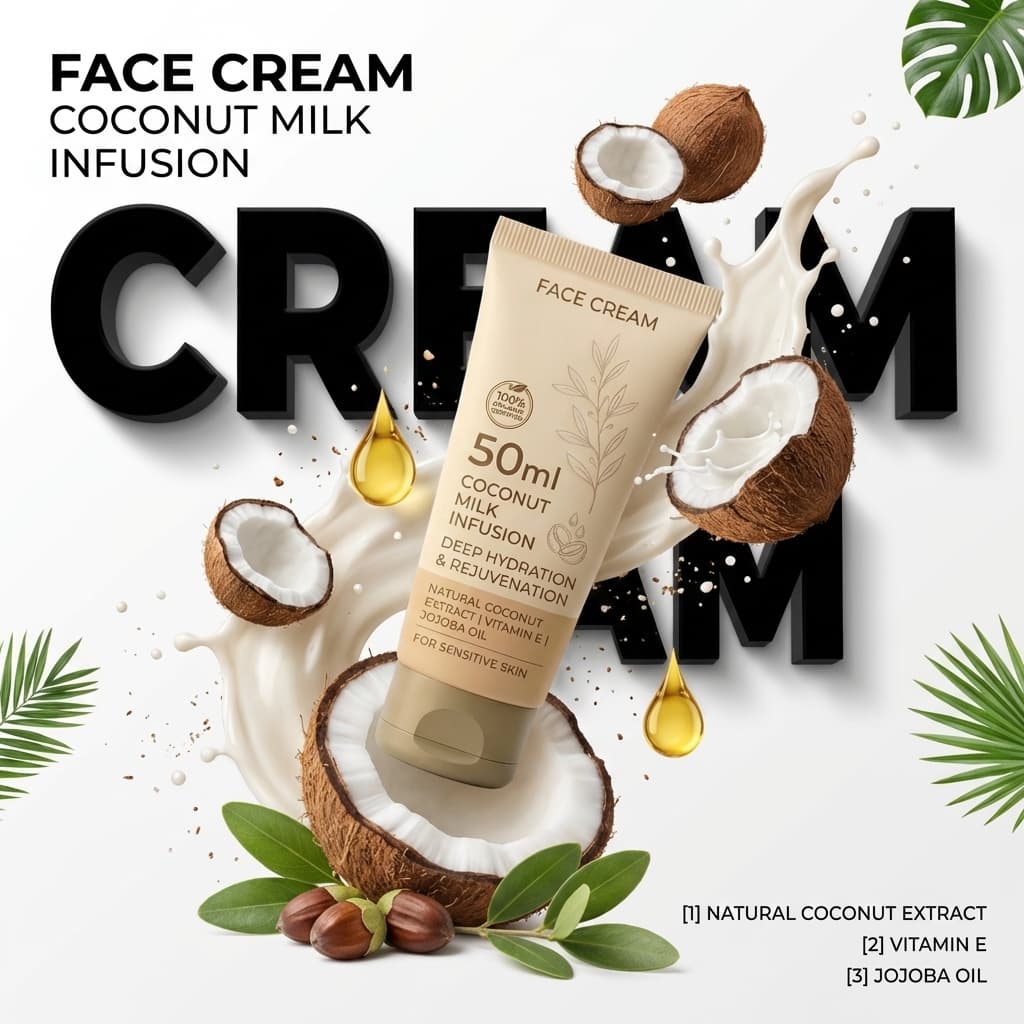
The Light Ad style generates a clean, bright advertisement on a white background. The AI reads your product label and creates a dynamic composition with:
- Bold 3D typography - the product category (CREAM, SERUM, OIL) rendered as large extruded letters behind the product
- Real ingredient visuals - coconuts, almonds, fruits, botanicals flying dynamically around the product, based on what the label actually lists
- Liquid splashes - cream, oil, or serum splashes color-matched to the product formula
- Ingredient callouts - numbered badges ([1] Coconut Extract, [2] Vitamin E) with real ingredients from the packaging
- Product headline - the real product name and tagline extracted from the label
This style works best for beauty, skincare, food, supplements, and any product where ingredients are a key selling point. Think of the ads you see from brands like Dove, Olay, or The Ordinary - clean, ingredient-forward, with a premium editorial feel.
Dark Ad - Brand-Forward Hero Shot
The Dark Ad style generates a moody, premium advertisement with a rich monochrome gradient background derived from your product's brand colors. The AI creates:
- Massive frosted 3D brand name - your brand name rendered as tall, translucent frosted-glass letters filling the entire height of the frame behind the product
- Color-matched gradient - deep, rich background that picks up the dominant color from your product packaging
- Dramatic rim lighting - a luminous glow edge separating the product from the dark backdrop
- Feature callouts - key product features displayed with simple icons on the side
- Product type headline - elegant, thin, letter-spaced text at the top
This style works best for tech products, premium electronics, luxury goods, energy drinks, and any brand that wants a bold, high-end feel. Think Dyson, Apple, or Red Bull - where the brand identity and product hero shot dominate the composition.
How to Create a Product Ad with AI in 30 Seconds
Step 1: Upload Your Product Photo
Open Pixair Studio and switch to the Ad Maker tab in the top navigation. Upload any product photo - a smartphone shot, an Amazon listing image, or a studio photo. The AI automatically removes the background and isolates your product.
Step 2: Choose Your Ad Style
Select Light Ad for a bright, ingredient-focused creative, or Dark Ad for a moody, brand-forward hero shot. Both styles read your product label to extract real text, so the output is always accurate to your brand.
Step 3: Set Aspect Ratio and Variations
Pick the format you need from the left panel:
- 1:1 - Instagram feed, Facebook ad
- 4:3 - product listing hero, email banner
- 3:4 - Pinterest pin, portrait ad
- 16:9 - website banner, YouTube thumbnail
- 9:16 - Instagram Story ads, TikTok, Reels
Set the number of variations (1-4) to generate multiple creative options in a single run. Each variation uses a different composition while maintaining the same style.
Step 4: Generate and Iterate
Hit Generate and your ad is ready in seconds. Use the AI chat below the canvas to make adjustments - “make the background darker”, “add more splash”, or “change the typography to gold”. You can also attach an inspiration image to guide the overall mood and color palette. Export in HD 4K when you are satisfied.
Why AI Ad Creation Matters for Ecommerce Brands
Creative Fatigue Is Real
Ad platforms like Meta and Google recommend refreshing your creative every 1-2 weeks to combat audience fatigue. For a brand with 50 products across 3 ad platforms, that means producing hundreds of fresh ad creatives every month. No small team can keep up with that pace using traditional design workflows.
With Ad Maker, you can generate a new set of ad creatives for your entire catalog in minutes. Upload each product, select a style, and export. The AI handles the typography, layout, ingredient visuals, and brand color matching automatically.
No Designer Required
Most ecommerce founders and small teams do not have a full-time graphic designer. They either outsource ad creative (at $50-200 per ad) or use basic templates that look generic. Ad Maker produces designer-quality output that rivals what agencies charge thousands for - from a single product photo and one click.
Real Text, Not Placeholder Copy
The biggest problem with AI image generators for advertising is that they invent fake text. Lorem ipsum, random brand names, gibberish ingredient lists. Ad Maker solves this by reading your actual product label and extracting real brand names, product names, ingredients, and taglines. Every word on the generated ad comes from your product packaging.
AI Ad Maker vs. Traditional Ad Design
| Traditional Design | Pixair Ad Maker | |
|---|---|---|
| Time per ad | 30 min - 2 hours | 30 seconds |
| Cost per ad | $50 - $200 | Under $0.20 |
| Design skills needed | Photoshop, Illustrator | None |
| Aspect ratio formats | Manual resize for each | 5 formats, one click |
| Variations per run | 1 (manual redesign) | Up to 4 simultaneously |
| Text accuracy | Manual copy-paste | Auto-extracted from label |
When Should You Refresh an Ad Creative?
Do not refresh on a fixed calendar - refresh on signals. Three metrics in your ads manager tell you a creative is fatiguing before spend is wasted:
- Frequency above 2.5-3 - your audience has seen the same creative several times; each additional impression converts worse
- CTR down 20%+ from its first-week average - the earliest and most reliable fatigue signal
- Rising CPM on a stable audience - the auction is pricing in declining engagement with your creative
When a signal fires, the replacement should already exist. The practical Ad Maker cadence: generate 4 variations per product upfront, launch one, and hold the rest in reserve. Swapping a fatigued creative becomes a 2-minute upload instead of a design request. For how to structure those variations into a clean test, see the ad creative A/B testing guide - and if most of your spend is on Meta placements, the Instagram ad creatives guide covers format-specific refresh tactics.
Best Use Cases for AI Product Ads
Ad Maker is built for anyone who needs to produce product advertising creative at scale:
- DTC brands - generate fresh ad creative for Meta, Google, and TikTok campaigns without a design team
- Amazon sellers - create A+ Content and Sponsored Brand images that stand out in search results
- Shopify store owners - produce professional product banners for your homepage, email campaigns, and social media
- Beauty and skincare brands - showcase ingredients with the Light Ad style for ingredient-driven marketing
- Tech and electronics brands - use the Dark Ad style for premium, brand-forward hero shots
- Agencies and freelancers - rapidly prototype ad concepts for client presentations before committing to a full production shoot
- Dropshippers - create professional-looking ads from supplier product photos in seconds
Works with the Full Pixair Studio
Ad Maker is not a standalone tool - it is fully integrated into Pixair Studio alongside every other feature:
- AI Chat - refine your ad with natural language prompts after generation
- Inspire - attach a reference image to guide the ad's mood and color palette
- HD 4K Upscale - export at 4x resolution for print-quality output
- Before/After Compare - instantly compare your original product photo with the generated ad
- AI Backgrounds - switch between ad creation and scene-based product photography in the same session
Tips for Better AI-Generated Product Ads
Use a clear, high-resolution product photo
The AI reads text from your product label. A sharp, well-lit photo with readable text produces significantly better typography and ingredient extraction.
Show the label clearly
Upload a photo where the brand name, product name, and ingredient list are visible. The more the AI can read, the more accurate the ad text will be.
Generate multiple variations
Set variations to 3 or 4 to get different compositions from the same style. Each variation arranges elements differently - pick the one that works best or A/B test them in your ad campaign.
Use the chat to fine-tune
After generating, use the AI chat to make adjustments. “Make the background darker”, “enlarge the typography”, or “add a gold tint to the splash” - the AI refines the ad while preserving the overall composition.
Match the aspect ratio to the platform
Generate the same ad in multiple aspect ratios for different platforms. A 1:1 square for Instagram feed, a 9:16 vertical for Stories, and a 16:9 wide for website banners - all from the same product photo.







Frequently Asked Questions
The AI reads your product label directly from the uploaded photo. It extracts brand name, product name, ingredients, volume, and tagline from what is printed on the packaging. It never invents or guesses text - every word on the ad comes from your product label.
AI Backgrounds generates product photography - placing your product in realistic lifestyle scenes like marble countertops, beaches, or studios. Ad Maker generates product advertisements - marketing-ready compositions with bold typography, ingredient callouts, and brand-focused layouts built for paid campaigns and social media.
Yes. It works with any product that has visible packaging - beauty, food, supplements, beverages, tech, and household goods. The Light Ad style works best for products with ingredient stories. Dark Ad suits premium, brand-forward products. Both styles adapt automatically to your product colors and label content.
Each ad generation costs 4 credits per variation. One ad uses 4 credits; four variations use 16 credits. Free accounts start with 30 credits - enough to generate 7 complete ads. Paid plans start at $24/month.
Yes. Ad Maker supports five aspect ratios: 1:1 (Instagram, Facebook feed), 4:3 (listings, email), 3:4 (Pinterest, portrait), 16:9 (banners, YouTube), and 9:16 (Stories, TikTok, Reels). The AI adapts the layout composition to each format rather than just cropping.
Keep reading
Related articles
Inspire AI Product Photography - Guide Shoots With Reference Images
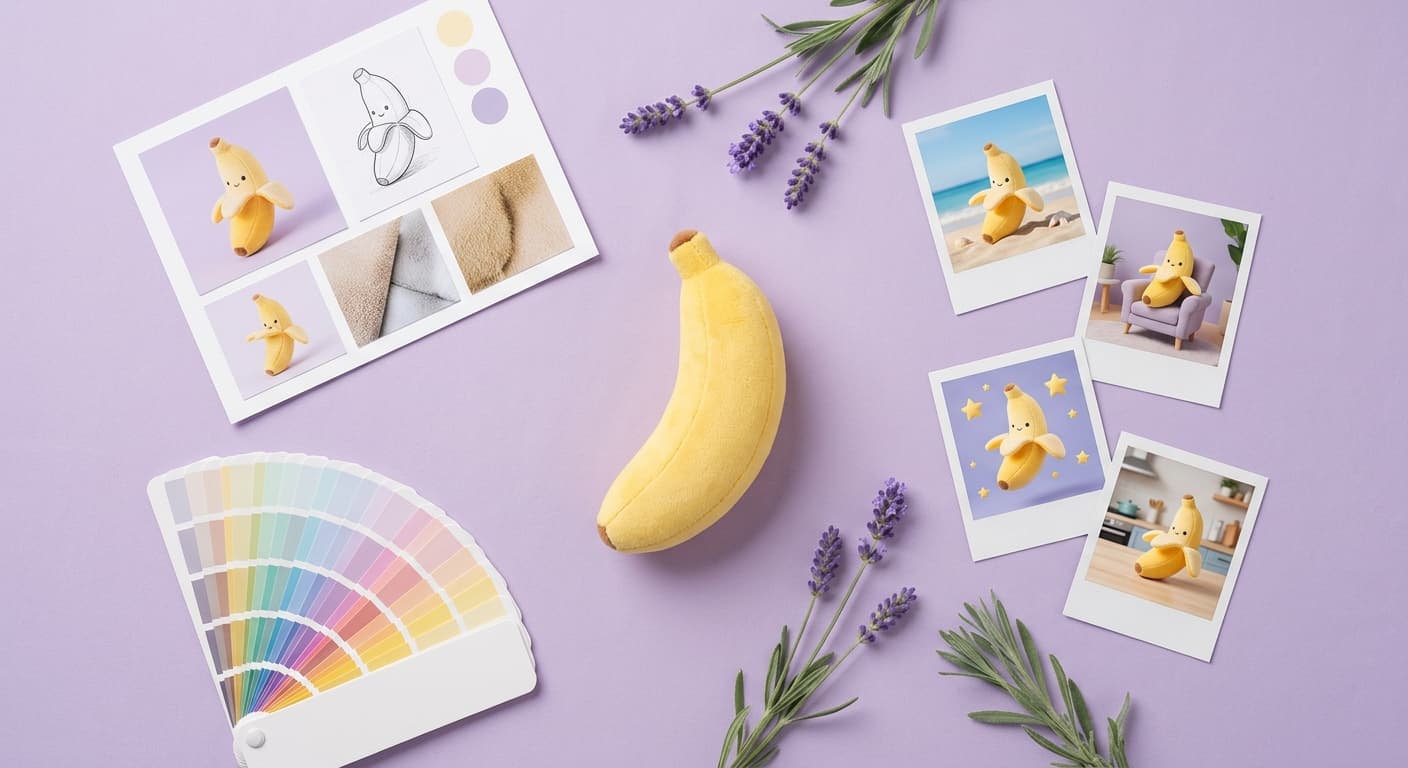
Use any inspiration image to direct your AI product photography. Match the exact mood, lighting, and color palette of any reference - then iterate with follow-up prompts until it looks right.
Product Photography on a Budget - Studio Results, Low Cost
How to get professional product photos on any budget in 2026 - from a DIY phone setup to AI tools under $25/month. Practical options for ecommerce sellers.
AI Product Photography for Food & Beverage Brands
Generate appetite-worthy food and beverage product photos with AI - condensation, steam, lifestyle scenes, and packaging shots. No studio. Conversion-ready images for every SKU in your lineup.