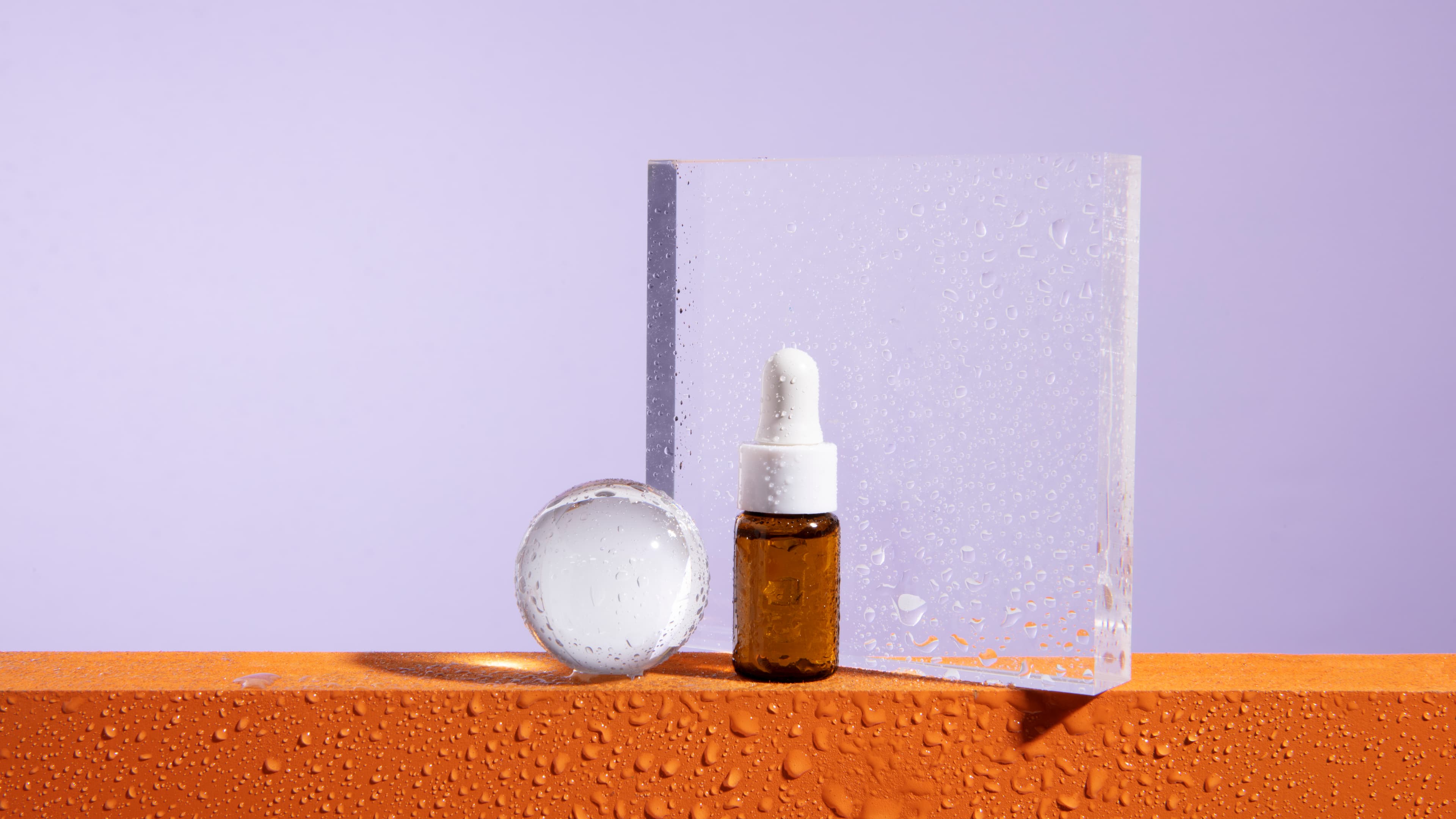
AI product photography lets ecommerce brands generate photorealistic product images in under 30 seconds for around $0.10 per image - replacing $50-$300 studio shoots and 2-7 day turnarounds. You upload one plain product photo, pick a scene, and the AI composites the product into a studio-grade environment with correct lighting and shadow. The result is conversion-ready imagery for Amazon, Shopify, Etsy, and ad creatives, without booking a photographer or a studio.
What Is AI Product Photography?
AI product photography uses machine learning models - specifically image generation and inpainting models - to place your product into photorealistic scenes without ever stepping into a studio. You upload a photo of your product on a plain background, choose a scene (beach, marble countertop, minimalist dark studio, tropical jungle, cozy home interior), and the AI generates a complete, high-resolution image in seconds.
The process involves two core steps: background removal to isolate the product, and AI scene generation to composite it into a new environment with correct lighting, shadows, and reflections. Modern tools like Pixair AI handle both steps automatically - no Photoshop, no design skills, no prompt engineering required.


Same product. Same input photo. Two outputs generated in under 30 seconds with Pixair AI.
Why Product Photo Quality Directly Impacts Conversions
The data is unambiguous. According to Shopify, 75% of online shoppers rely on product photos when deciding to make a purchase. Amazon sellers consistently report that optimizing product images alone - without changing price, title, or description - can lift conversion rates by 30 to 40%.
The problem is that most small and medium ecommerce brands are working with subpar images - product shots on white backgrounds with flat lighting, taken on a smartphone. These photos convert, but they convert much worse than lifestyle imagery that places the product in a realistic, aspirational context.
AI product photography closes this gap. You no longer need a $5,000 studio day to compete with the imagery quality of large brands. A single tool, a plain product photo, and 30 seconds is all it takes.
How to Create AI Product Photos: Step by Step
The workflow in Pixair AI is designed to be as fast as possible:
- Upload your product image. A plain white or grey background works best. The AI will automatically remove the background and isolate your product.
- Choose a scene preset. Pick from curated environments: Beach, Marble, Minimalist, Tropical, or Home. Each preset is tuned for photorealistic lighting, shadow physics, and editorial aesthetics.
- Adjust scale and position if needed, then hit Generate. Pixair AI analyzes your product - its colors, category, and brand aesthetic - and passes those signals into the generation pipeline for a contextually accurate result.
- Download and deploy. Outputs are 1024×1024 px, suitable for Amazon main images, Shopify product listings, Instagram, and digital ads.
Choosing the Right Scene for Your Product
The most important creative decision in AI product photography is scene selection. Here is how different environments perform across product categories:

Home

Minimalist

Tropical
The same product, three different AI-generated scenes - all generated from one source image.
Scene selection by category
- Marble / Home:Skincare, beauty, wellness, fragrance
- Beach / Tropical:Beverages, sunscreen, supplements, snacks
- Minimalist dark studio:Spirits, watches, luxury goods, tech
- Home interior:Candles, food products, household items, pet
For category-specific workflows, see the guides for skincare products, supplement brands, and Etsy sellers.
AI Product Photography vs. Traditional Studio Shooting
Traditional Studio
Photographer + studio rental

Pixair AI
Traditional Studio
Photographer + studio rental
Pixair AI
Cost per photo
$50 - $300
$0.10 - $0.50
Turnaround time
2 - 7 days
Under 30 seconds
Scenes per product
1 - 3
Unlimited
Revision cost
Full reshoot
Free regeneration
Minimum order
Usually 10+ products
1 image
Tips for Getting the Best Results
- 01Use a clean source photo. The cleaner your input - sharp focus, neutral background, no heavy lens distortion - the more realistic the output. A $20 lightbox and your smartphone camera is enough.
- 02Let the AI analyze your product. Pixair AI automatically detects your product category, flavor or scent cues, and brand color palette - then uses that intelligence to make props and lighting contextually accurate. A cherry-flavored can gets cherries. A lavender moisturizer gets botanicals.
- 03Generate multiple variations. Generate 3 to 5 outputs per scene. AI generation has natural variance - one run might nail the shadow angle perfectly while another produces a better background composition. Keep the best, discard the rest.
- 04Test across scenes before committing. Run your hero product through all available scene presets before choosing your primary listing image. What looks great in isolation might not be the highest-converting image - let your click data tell you.







Frequently Asked Questions
AI product photography costs roughly $0.10 to $0.50 per image versus $50 to $300 per image for a traditional studio shoot. For a 30-SKU catalog with 4 scenes each, that is around $12 in AI generation credits versus $6,000 to $36,000 in studio fees - and the AI output is ready in minutes instead of weeks.
Yes. Pixair outputs at 1024x1024 px and you can generate pure-white-background (RGB 255/255/255) images that meet Amazon's main-image rule, as well as lifestyle scenes for secondary slots and Shopify hero sections. Always export at the platform's minimum resolution and check the 85% product-fill rule for Amazon main images.
It works best for packaged consumer products - skincare, supplements, food and beverage, cosmetics, candles, fragrance, and most CPG goods. It is weaker for fabric softness, fine jewelry filigree, and apparel fit shots, where physical photography still wins. For most ecommerce catalogs, 80-90% of imagery can be AI-generated.
Background removal cuts out the product so you can drop it on a white or transparent canvas. AI product photography goes further and generates an entirely new scene around your product - surfaces, props, lighting, and shadow that all match each other. The product itself is taken from your source photo so labels and packaging stay pixel-accurate.
Generate 3-5 variations per scene and test 2-3 scenes per product. AI generation has natural variance, so running multiple seeds gives you better odds of nailing the shadow angle and composition. For an Amazon listing, that means 1 white-background main image plus 4-6 lifestyle variants for secondary slots and A+ Content.
Keep reading
Related articles
Amazon Product Image Generator: Compliant in 4 Steps (Free)
Turn one phone photo into an Amazon-compliant main image (RGB 255/255/255, 85% fill, 2,000 px) plus lifestyle images for all 9 slots. Free with 30 credits.
AI Product Photography for Amazon Sellers - Full 9-Image Sets
Amazon suppresses non-compliant listings and ranks by CTR. See how AI product photography handles white background compliance, lifestyle secondary images, and full 9-slot image sets - no photographer.
Best Caspa AI Alternative - Product Photos + Ad Generation
Caspa AI focuses on AI human models. If you sell packaged products and need clean product scenes, ad creatives from your label, and no $33/month paywall to start - Pixair AI is built for that.