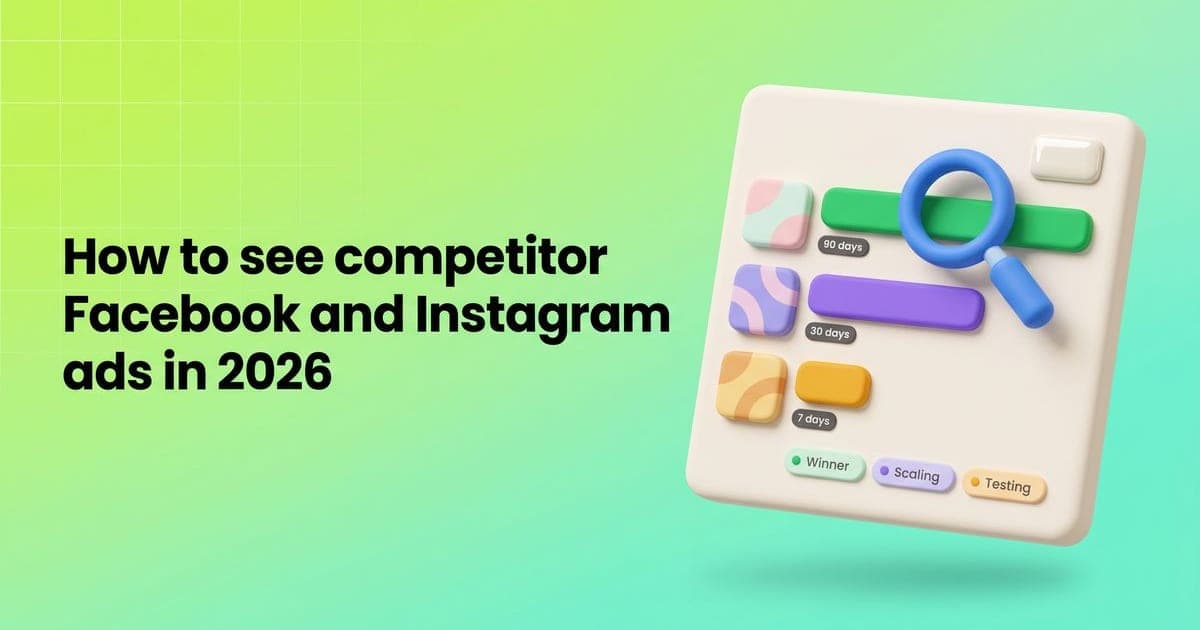
Pixair Competitor Spy lets you see which ads a brand keeps running on Facebook and Instagram, then recreate the winners for your product. Type a brand name, pick a country and media type, and it pulls the brand's ads from the Meta Ad Library, puts the longest-running ones first and turns any of them into your own ad.
How do I see what ads my competitors are running?
You search by brand. Competitor Spy matches what you type against Facebook pages, so you land on the exact advertiser instead of every ad that happens to contain the word.
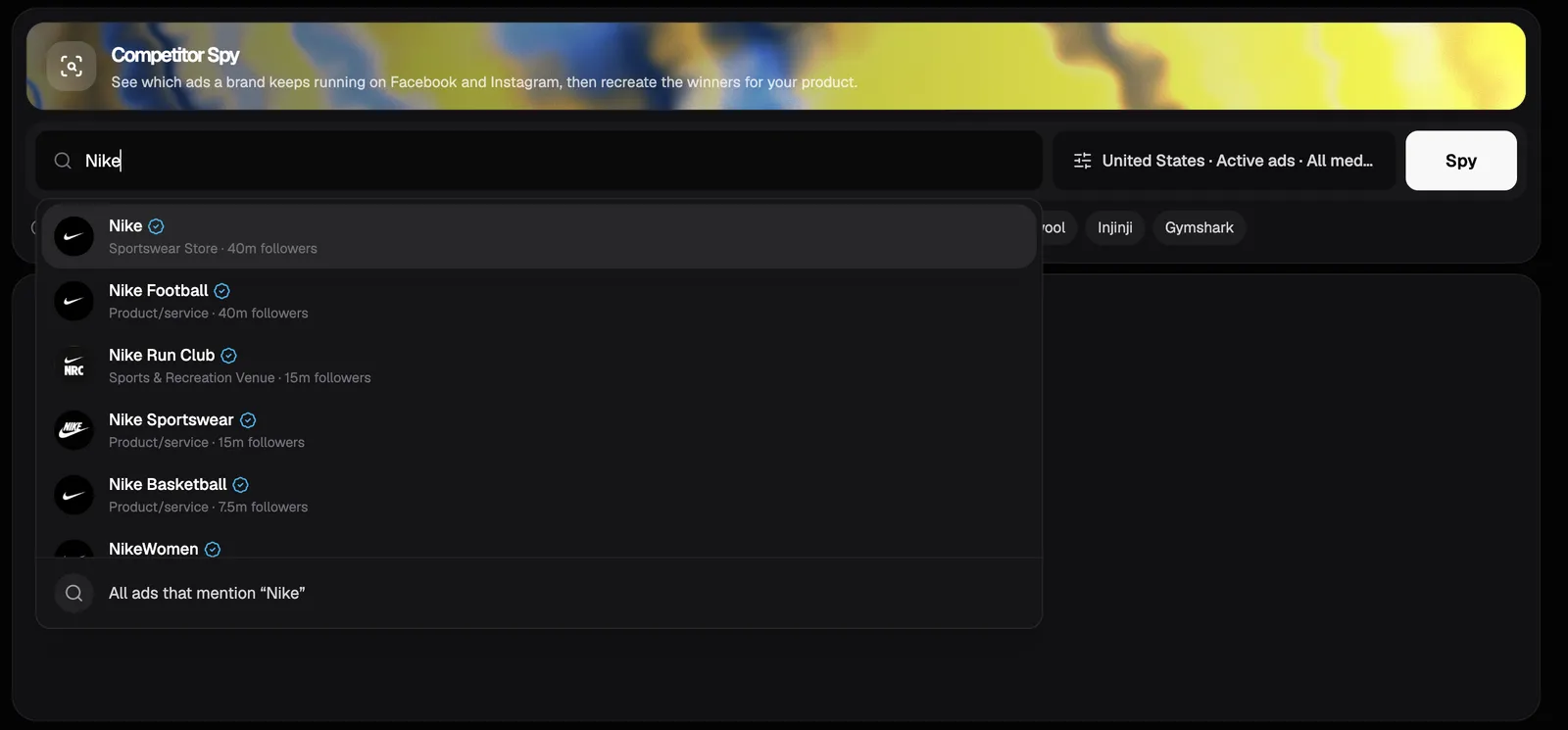
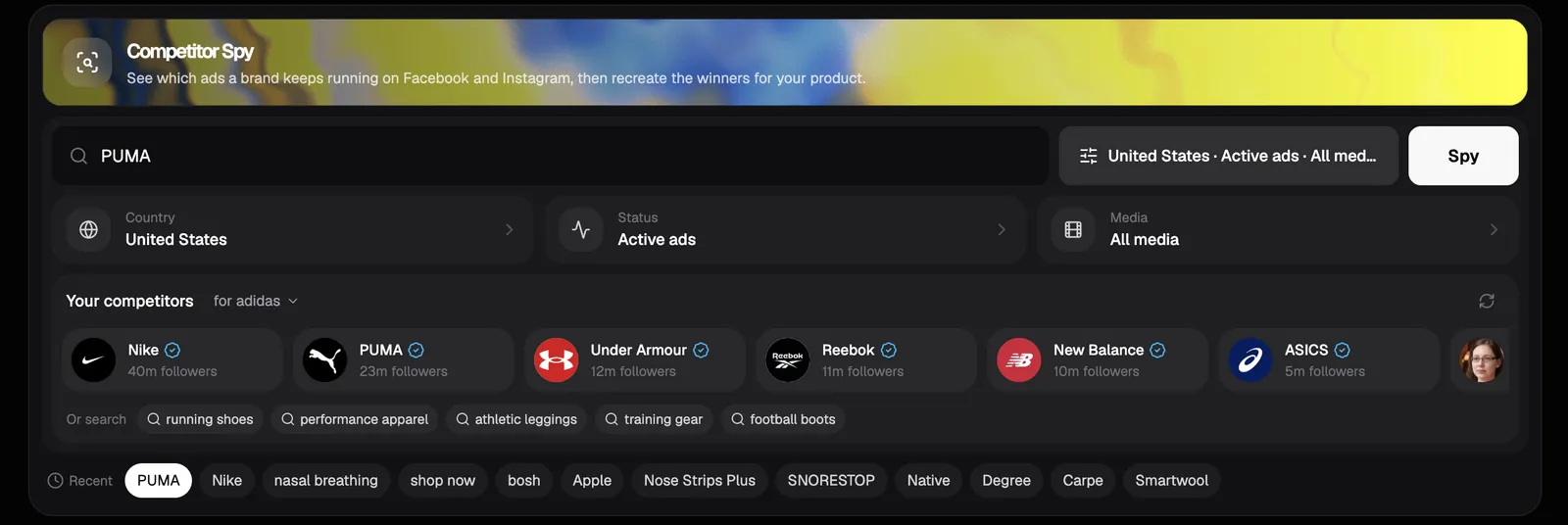
Type a brand name
Start typing and pick the brand's page from the list. Each result shows the logo, the category, the follower count and a check mark for verified pages. The last row searches every ad that mentions your words, which is useful for a product type instead of a brand.
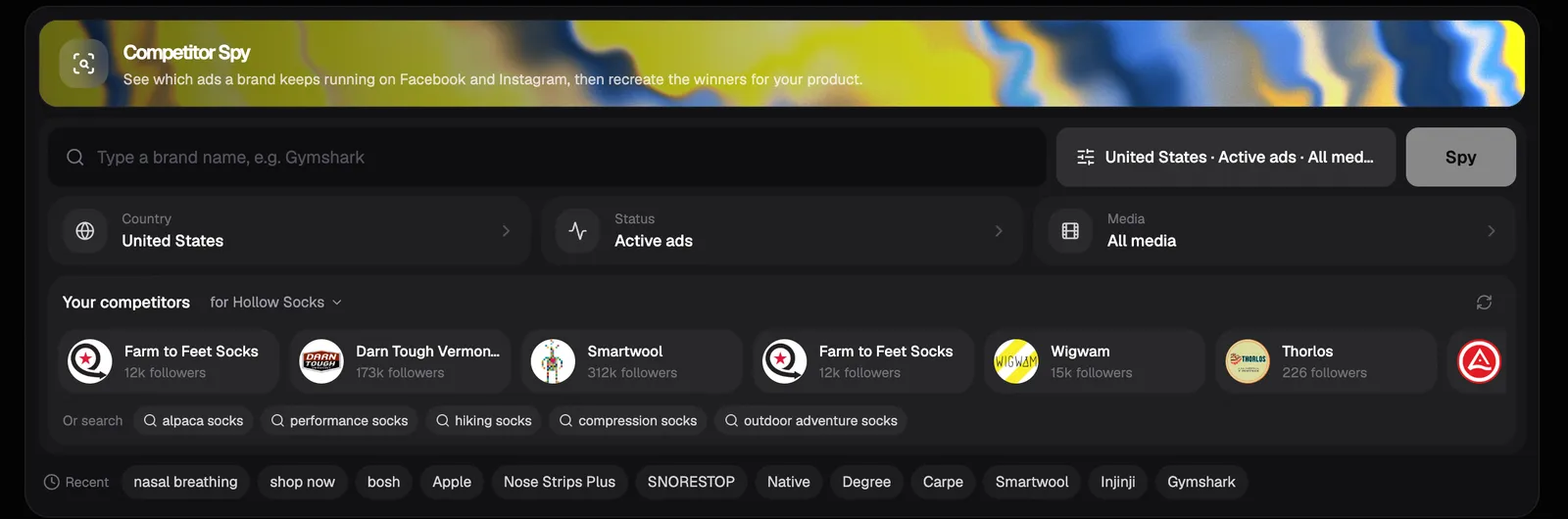
Set country, status and media
Open Filters to choose the country the ads run in, whether to show active ads only or all ads, and whether you want videos, images or both. The button shows your current choice, so you always know what the search covers.
Click Spy
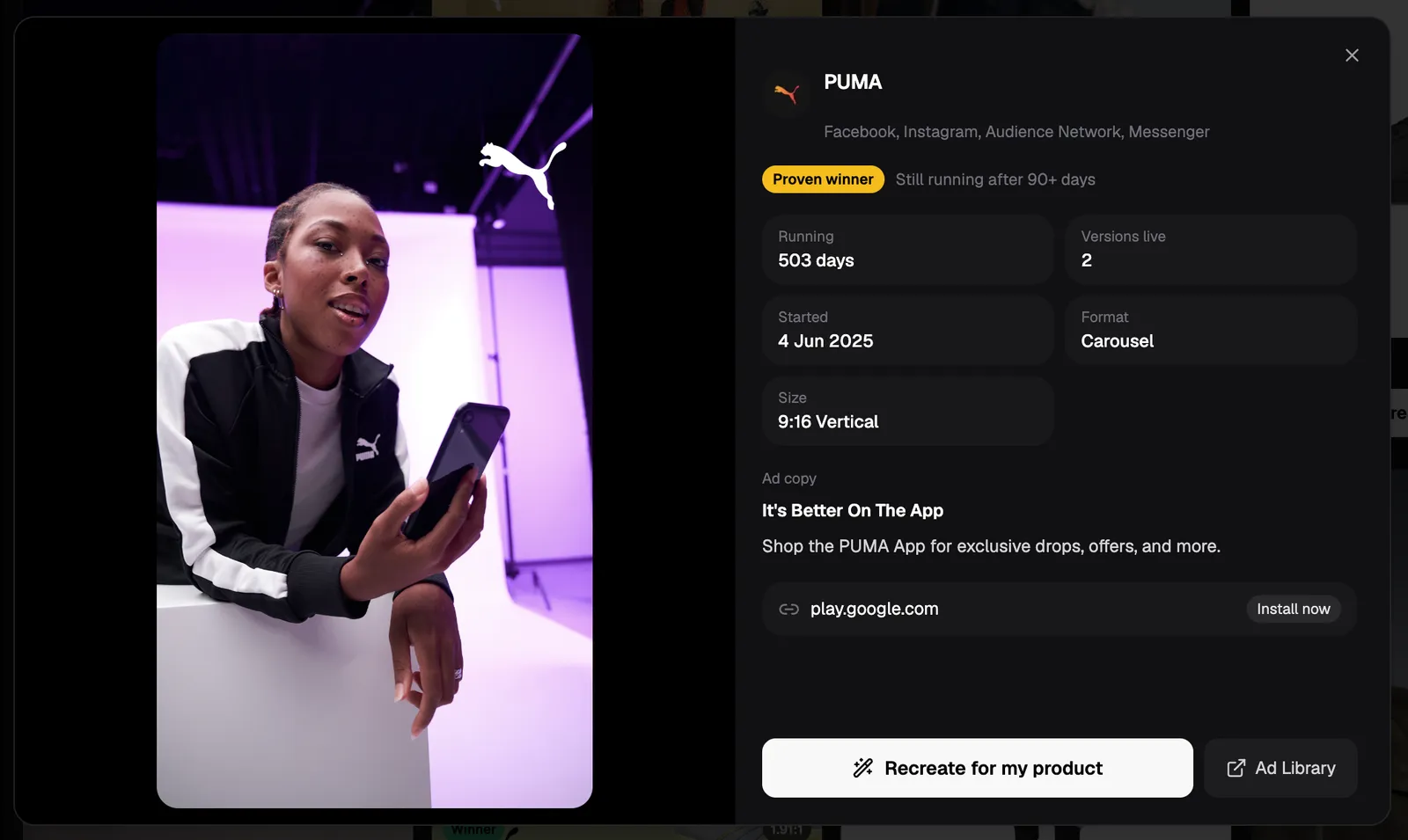
Competitor Spy reads the Meta Ad Library and lays the ads out in a grid. Every card keeps its real shape, so you can see at a glance which ads are vertical for Reels and Stories and which are square for the feed. Click any card to see the full copy, the landing page, the start date and every placement it runs on.
How do I know which competitor ads are actually working?
Look at how long an ad has been running. Brands switch off ads that lose money, so an ad that is still live after a month is usually paying for itself. The Meta Ad Library does not show spend or sales for most ads, which makes run time the most honest signal you have.
Competitor Spy turns that into labels on every ad:
- Proven winner - still running after 90 days or more.
- Scaling - running 30 days or more with several versions live at once, a sign the brand is putting more budget behind it.
- Winner - still running after 30 days.
- Testing - live for less than 30 days, too early to tell.
Results open on the Winners tab, which only shows active ads that have run for 30 days or more. Switch to All ads to see the tests too, and sort by Longest running to put the oldest live ads at the top.
How do I find competitors I don't know about yet?
Let Pixair suggest them. Inside Filters, the Your competitors row reads your brand kit, works out who sells a close substitute to the same buyer, and shows each brand with its logo and follower count. One click searches that brand's page.
Under the brands you get keyword searches built from what you sell, such as “hiking socks” or “compression socks” for a sock brand. These catch the smaller advertisers you would never think to type, because they surface every ad that mentions the product rather than one brand.
How do I turn a competitor's ad into my own?
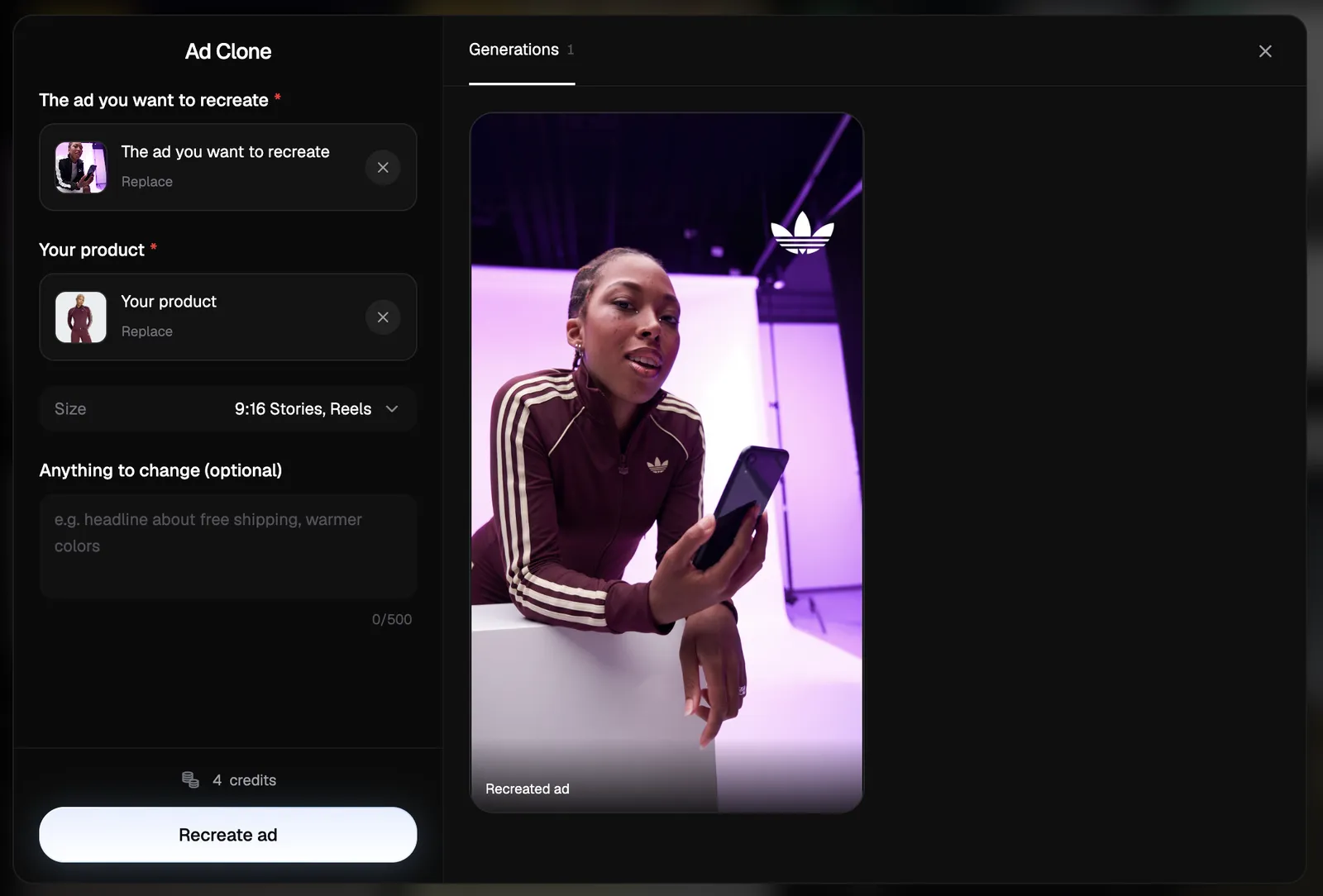
Click Recreate for my product on any ad. Pixair copies the ad into your workspace and asks for one photo of your product. It then builds a new ad with the same layout, pacing and style around your product, writes new copy in the same places and removes the original brand.
It works for both formats: a video ad comes back as a new video built around your product, and an image ad comes back as a new static ad in the size you pick. This is the same idea behind the rest of Pixair's ad creative maker, where one product photo turns into ready-to-run ads. If your products need clean, policy-safe visuals first, see our guide to compliant product images and lifestyle mockups.
Competitor Spy vs the Meta Ad Library
Both read the same public ads. The difference is what you can do with them once you find them.
Meta Ad Library
Meta's free public archive

Competitor Spy
Meta Ad Library
Meta's free public archive
Competitor Spy
Search by brand
Yes
Yes, with page suggestions as you type
Filter by country, status and media
Yes
Yes
Find competitors automatically
No
Yes, suggested from your brand kit
Highlight long-running winners
No, start dates only
Winner labels, Winners tab and longest-running sort
Recreate the ad for your product
No
Yes, for video and image ads
Who is Competitor Spy for?
It is built for Shopify, Amazon and TikTok Shop sellers, and ecommerce brands on any other platform, who run their own Meta ads. If you are deciding what to test next, a competitor's longest-running ad is a better starting brief than a blank page.
If you are comparing tools for the rest of your ad work, our Zeely alternative and OpenArt alternative breakdowns show how Pixair covers static and video ads from one photo. You can create a free account to try it.

Frequently asked questions
Yes. Meta makes every active ad on Facebook and Instagram public in its Ad Library, so anyone can see what a brand is running. Competitor Spy reads that public library for you. When you recreate an ad, use the layout and idea, not the other brand's logo, product claims or footage.
Competitor Spy covers ads running on Facebook and Instagram through the Meta Ad Library. Each ad also shows the other Meta placements it runs on, such as Messenger, Audience Network and Threads. TikTok and Google ads are not included.
Yes. Open Filters before you search and pick a country, or leave it on all countries. In the same panel you can choose active ads only or all ads, and limit the search to videos or images.
No. You only need a Pixair account. Competitor Spy reads the public Meta Ad Library, so you never connect a Facebook login, a Business Manager or an ad account.
Click Recreate for my product on the ad. Pixair copies the ad into your workspace, you add a photo of your product, and it builds a new version with the same layout and style around your product, with the original brand removed. Video ads and image ads both work.
Keep reading
Related articles
Best OpenArt alternative for ad creatives in 2026
OpenArt needs the $34/mo Plus plan before you can run its images as ads. This OpenArt alternative makes ready-to-run ads from $7/mo, with 30 free credits.
How Much Does a Product Video Ad Cost? 2026 Guide
A product video ad costs $0.70-$7.35 with AI, $175 median from a UGC creator before rights, and $1,000-$10,000 from a studio. Compare the real 2026 totals.
How to Turn One Product Photo Into a UGC Video Ad (2026)
Turn a single product photo into a UGC-style video ad for Meta and TikTok in minutes. Step-by-step guide, costs from $0.70 per video, and examples.