
Claid.ai built a strong toolkit for image enhancement - background removal, upscaling, retouching, and batch processing with an API-first architecture. For teams that need to clean up existing photos at scale, it covers that well. The gap appears when a seller needs the other half of the pipeline: generating a photorealistic product scene from scratch, or turning that scene directly into a finished ad creative with copy written from the label. Claid.ai is an enhancement tool - it cannot generate new environments. The best Claid.ai alternative for sellers who need scene generation and ads in the same session is a tool built for full production output, not just cleanup.
Where Claid.ai Stops Short for Ecommerce Sellers
Claid.ai is a capable image processing platform. The limitation is that it operates on photos you already have - it makes them better, not different. Three gaps surface every time a seller tries to build a full product image library and launch ads with Claid.ai as the primary tool.
1. Enhancement only - no scene generation
Claid.ai processes images you supply. It removes backgrounds, upscales resolution, smooths out compression artifacts, and automates retouching. What it cannot do is place your product into a new photorealistic environment. If your source photo was taken on a cluttered kitchen counter and you need a dark marble studio scene for your Amazon listing, Claid.ai has no generation capability to create that. You still need a photographer or a separate generation tool. For sellers who do not have a clean studio source photo to start with, the enhancement pipeline has nothing useful to enhance.
2. No ad creative output
Claid.ai outputs a processed image - cleaner, higher resolution, background removed. Turning that processed image into a Meta or Google Shopping ad still requires opening a design tool, laying out a marketing composition with headline and benefit copy, and exporting in every required aspect ratio. For a seller running 4-5 ad variations per campaign across multiple SKUs, that design-and-copywriting step is 30-45 minutes of work per product per launch that Claid.ai does not reduce.
3. API-first tool built for developers, not solo sellers
Claid.ai is architecturally designed for technical teams integrating image processing into a larger pipeline - a SaaS product, a marketplace platform, an automated catalog workflow. The UI is thin and the primary access model is via API with usage-based pricing. A solo seller or small ecommerce team uploading product photos and generating assets for weekly ad campaigns is not the use case Claid.ai was built for. Every workflow step requires either developer effort or stitching together multiple tools around it.
What Full-Pipeline AI Product Photography Does Differently
A full-pipeline tool handles every step a seller actually needs: background removal, scene generation around the product, and ad creative output with copy written from the label - in a single upload session. No API integration, no design tool, no copywriter.
Pixair AI takes your product photo, isolates the product with clean edge removal, generates a photorealistic scene around it from a plain-language description, and then in the same session produces finished ad creatives with copy derived directly from your product label. The product itself is never regenerated - your packaging, label text, and brand colors are taken from your source photo and remain pixel-accurate throughout.
The economic difference is what you get per session. Claid.ai plus a scene generation tool plus a design tool plus your time to write copy is a 60-90 minute pipeline per product per campaign. A single tool that runs background removal, scene generation, and ad creation in sequence compresses that to under 20 minutes - and produces more output at the end of it.
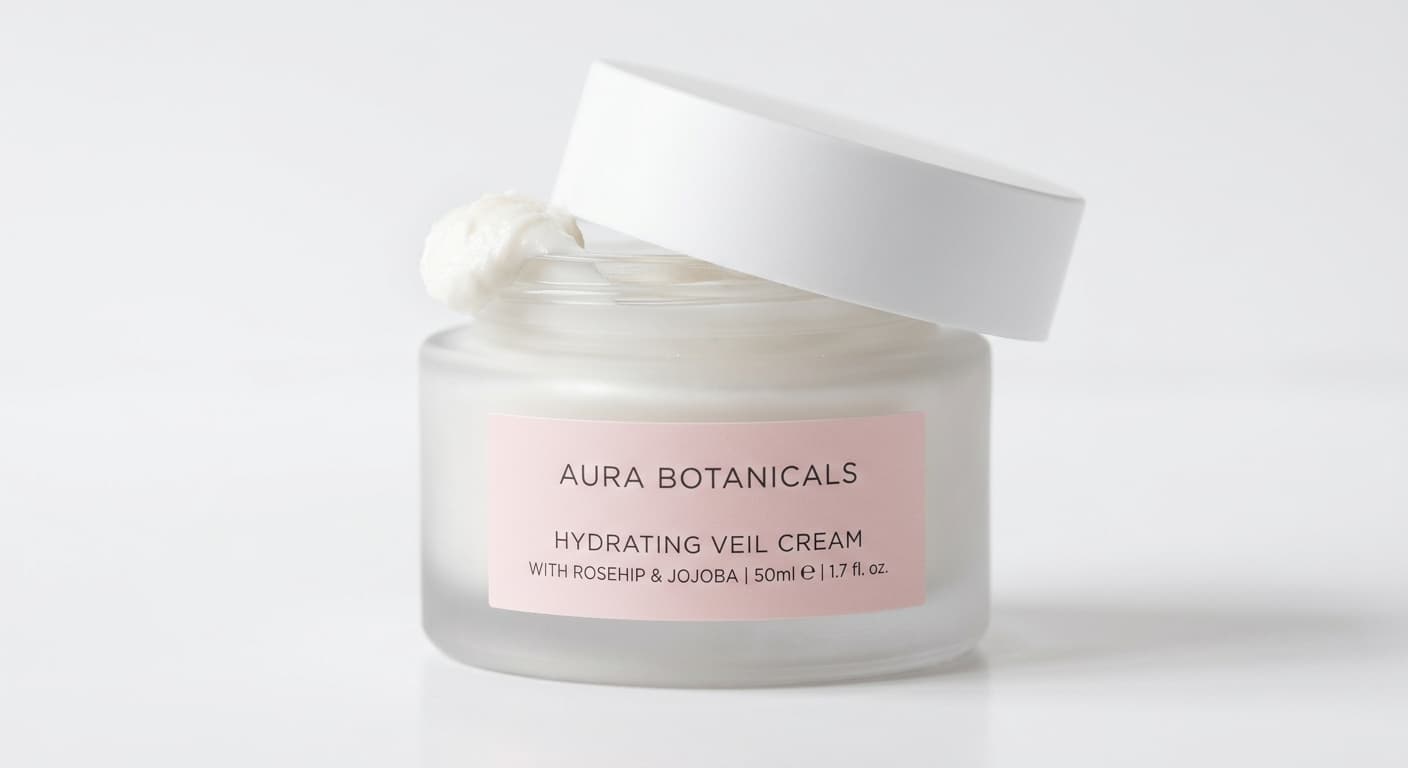

Claid.ai cleans up the photo on the left. Pixair AI generates a scene and a finished ad from it - same upload.
Step-by-Step: Replace the Claid.ai Multi-Tool Pipeline with One Session
This workflow replaces the Claid.ai plus scene tool plus design tool pipeline. Same starting point - one product photo. Different finish line - marketplace-ready scenes and exported ad creatives at the end of the same session.
1. Photograph the product on a clean surface
Place your product on a white or light grey surface near a window. A phone camera in good light is sufficient - generation quality is determined by the AI model, not your camera. Keep the full product silhouette within the frame with a small margin around the edges. Make sure the label faces the camera so the AI can read it for ad copy later. One clean front-facing photo per SKU.
2. Skip Claid - let background removal run automatically
Upload to Pixair AI and background removal runs as the first step of the generation pipeline - no separate Claid.ai processing session needed. The isolation produces clean edges on all standard product types: bottles, boxes, tubes, jars, and bags. For products with complex silhouettes or fine detail at edges, the built-in removal handles what Claid.ai handles, without requiring a separate tool or API call.
3. Generate three scene types per SKU from plain-language descriptions
Describe the environment you want in plain text: “dark slate surface, single cool rim light from the upper left” for a premium look, “white marble with soft diffused light from above” for a clean beauty feel, “pure white background” for Amazon main images. Run each prompt in under 30 seconds and generate 2-3 variations per scene. Three scene types per SKU typically finishes in under 20 minutes - producing images that Claid.ai could only enhance if a studio photographer had already shot them.
4. Reuse the same scene prompt across your entire catalog
Copy the exact prompt that produced your strongest result and paste it for every other SKU upload. The AI generates a new scene around each product using the same surface, lighting direction, and atmosphere. Every product in your catalog gets visually identical conditions - not a similar preset, but the exact same scene parameters. This is the consistency advantage that Claid.ai batch processing provides for enhancement but cannot provide for scene generation.
Generate ad creatives in the same session
This is the step Claid.ai has no answer to. Pixair AI's Ad Maker takes the same product upload and produces a marketing-ready ad in one step - the AI reads your label, writes product-specific copy from the brand name, ingredients, and tagline printed on the packaging, and composes a layout ready for Facebook, Instagram Stories, Google Shopping, or TikTok. Both dark and light formats, five aspect ratios, no design tool required.
Source
One upload


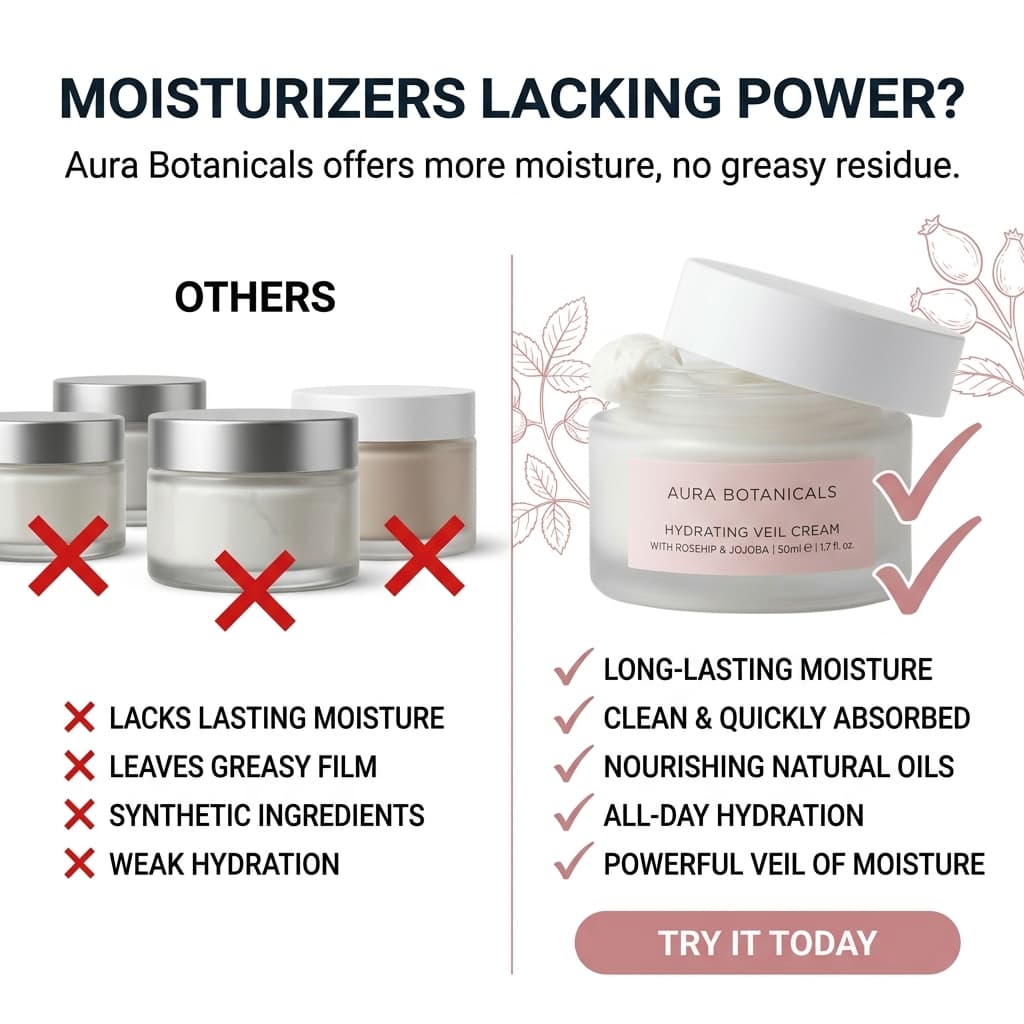


Six ad creatives from one product photo. No Claid.ai, no design tool, no copywriting session.
Claid.ai vs. Pixair AI for Ecommerce Product Photography
Claid.ai
Image enhancement and batch processing

Scene generation and ad creatives in one session
Claid.ai
Image enhancement and batch processing
Scene generation and ad creatives in one session
Core capability
Enhances photos you already have - upscaling, retouching, background removal
Generates new product scenes and ad creatives from a single upload
Scene generation
Not available - Claid processes existing images, it cannot create new environments
Prompt-driven scene generation - any surface, lighting, and atmosphere in plain language
Ad creative generation
Not available - requires a separate design tool and copywriter
Built-in Ad Maker - six ad formats from the same product upload
Ad copy writing
Manual - Claid does not write copy
AI reads the label and writes product-specific copy automatically
Time to launch per SKU (scenes + ads)
60-90 min across Claid plus scene tool plus design tool plus copy
Under 20 min - scenes and ad creatives in one session
Primary user
Developer teams integrating image processing via API
Ecommerce sellers uploading products and generating assets directly
Background removal
Yes - strong batch processing for existing photo libraries
Yes - runs automatically as step one of the generation pipeline
Upscaling
Yes - high-quality upscaling is a core Claid feature
Yes - upscaling included in all plans
API access
Yes - API-first with extensive developer documentation
Web-based tool optimized for seller workflows - no API required
Free trial
Limited free tier available
30 credits free - full resolution, no watermark, no card required
Pricing
Usage-based, API pricing tiers
From $24/month - scenes, ads, background removal, and upscaling included
See Pixair AI pricing - all plans include AI scene generation, background removal, upscaling, and ad creation. Starts at $24/month. Comparing other tools? Read Pixair AI as a Photoroom alternative, Pebblely alternative, and Flair AI alternative.
5 Tips for Replacing Claid.ai with a Generation-First Workflow
1. Use source photo quality for edge accuracy, not for scene quality
Claid.ai users often obsess over source photo quality because Claid can only work with what it is given - a better source produces a better processed output. With a generation tool, source photo quality determines edge cleanliness on background removal, not scene quality. A sharp phone photo in good light gives you clean edges. Scene realism is generated by the AI model, not inherited from your camera. Shift your attention from shooting a perfect image to shooting a clearly lit, fully visible product.
2. Write scene prompts in three parts: surface, light direction, light quality
The most reliable scene prompt formula is: surface material + light direction + light quality. “Dark wet marble, cool rim light from the upper left, soft diffused” is a complete prompt. Surface tells the AI what is underneath the product. Light direction tells it where shadows fall. Light quality tells it whether the source is hard or soft. Vague prompts like “luxury product photo” produce inconsistent results. Three-part prompts produce consistent, physically coherent scenes every time.
3. Run white background first to validate your edge quality
Before generating any lifestyle or studio scenes, generate a pure white background version of the product. This is your marketplace main image and your edge quality check. If the isolation is clean on the white background, it will be clean on every scene you generate from the same upload. If there are edge artifacts on white, they will be visible on dark or textured scene backgrounds. Catching this on white background first saves regenerating full scenes.
4. Run ad creatives before closing the session
The biggest single workflow improvement for Claid.ai users switching to Pixair AI is running the Ad Maker while the product upload is still active. Claid.ai users are conditioned to export a processed image and move on. Pixair AI lets you stay in the same session and generate six ad creatives in five aspect ratios in under five minutes - copy included. That is a full ad inventory for one campaign launch from the same 20-minute session that produced the scenes.
5. Batch prompt reuse beats batch processing for catalog consistency
Claid.ai's batch processing strength is applying the same enhancement settings to every image in a library. Pixair AI's equivalent for generation is prompt reuse: paste the exact same scene prompt for every SKU and the AI generates identical conditions around each product. The results are not enhanced to look similar - they are independently generated into the same surface, lighting, and atmosphere. Visually, your catalog looks like it was shot in a single studio session.







Frequently Asked Questions
Claid.ai is purpose-built for high-volume batch processing via API - it is a strong choice if you have a technical team running thousands of images through an automated pipeline. Pixair AI is optimized for ecommerce sellers who need to produce scenes and ad creatives for a catalog of products in a manual session workflow. Batch queuing is available for larger catalogs. If your primary need is API-driven batch enhancement at scale, Claid.ai is the right tool for that specific use case.
Yes for the ecommerce use case. Pixair AI runs background removal automatically as the first step of scene generation - you do not run it separately. The removal quality is comparable to Claid.ai for standard product types: bottles, boxes, tubes, jars, bags, and similar opaque silhouettes. If you are processing a very large existing photo library where you only need background removal and nothing else, Claid.ai's batch API may be faster. If you are generating new scenes from the same upload anyway, Pixair AI handles removal without a separate step.
Pixair AI is a web-based tool designed for seller workflows rather than developer pipeline integration. It does not expose a public API for automated batch processing in the same way Claid.ai does. If your team is building a technical integration where image enhancement runs automatically inside a larger software pipeline, Claid.ai's API-first architecture is the correct tool. If you are a seller or small team generating assets manually for campaigns, Pixair AI removes the technical overhead entirely.
Yes. Pixair AI isolates your product from the source photo and composites it into the generated scene without regenerating the product itself. Your label text, brand name, ingredient list, and any printed graphics come directly from your original photo and remain pixel-accurate. The AI only generates what is behind and around the product - the same fundamental guarantee that makes Claid.ai background removal safe for marketplace listings.
Yes. Both platforms allow AI-generated product images as long as they accurately represent the physical product. Pixair AI does not modify the product - only the background and environment are generated. The white background preset produces a pure white RGB 255/255/255 output that meets Amazon main image requirements. AI-generated lifestyle and studio scenes are acceptable for secondary listing images on Amazon and for all Shopify product page images.
Keep reading
Related articles
Best Zeely AI Alternative - Free to Try, No Ad Spend Fee
Zeely takes 12% of your ad spend and has no free plan. Pixair AI is a flat $24/month with 30 free credits to start - photos and ad creatives you fully own.

Best Mokker AI Alternative - Photo to Finished Ad in One Tool
Mokker generates product scenes but stops there. Pixair AI takes the same upload and produces ad creatives, ad copy, and platform-ready exports - end-to-end in one tool.

AI Dynamic Product Ads - Generate From Any Product Photo
Create dynamic product ads with AI - bold splashes, cinematic lighting, and hero shots from any product photo in seconds. No studio needed.